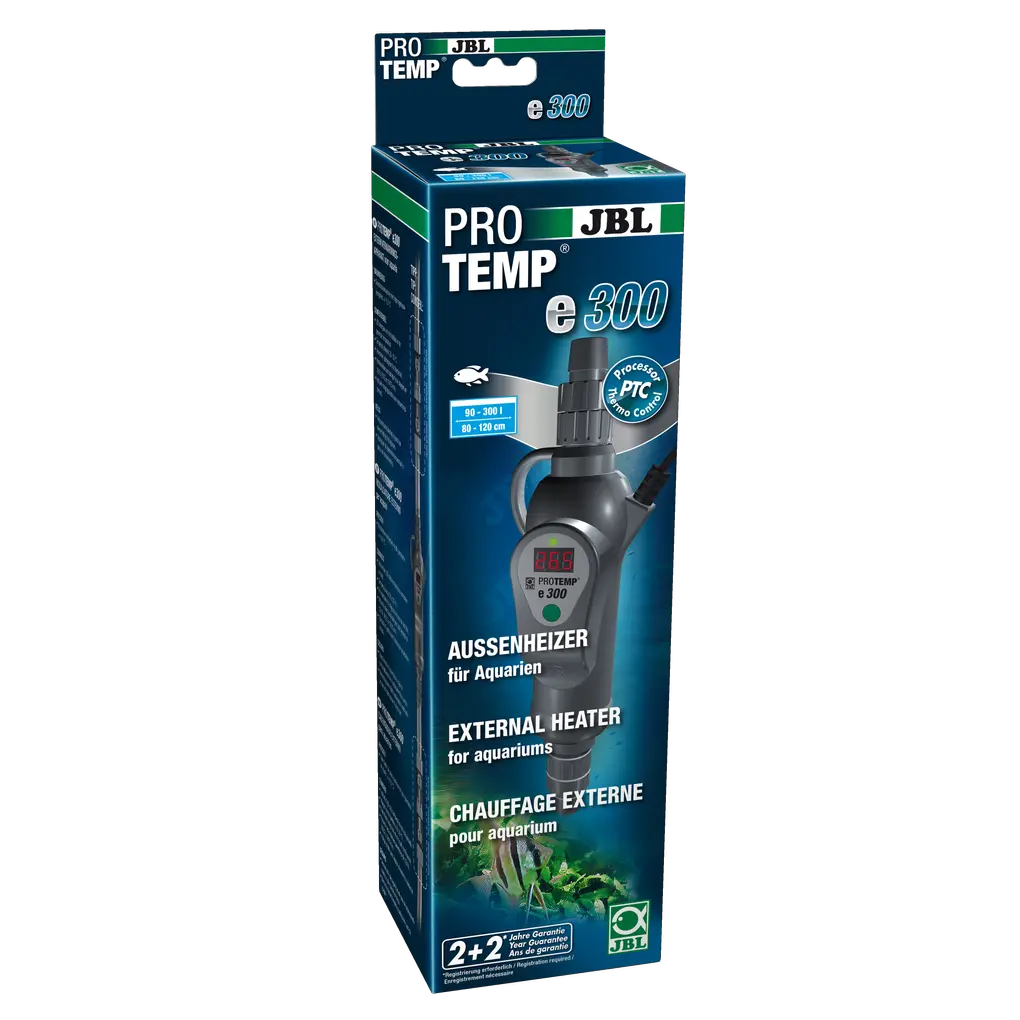
JBL PROTEMP e301

Flow heater that is integrated into the hose of the external aquarium filter, eliminating the need for a heater inside the aquarium.

52.83 EUR

Price incl. 23 VAT plus Delivery
Last chance - going out of stock
Shop locator

Product features

  • In-line heater integrated into the hose of the external aquarium filter, removing the need for a heater INSIDE an Aquarium
  • Easy installation: cut through the hose from the external filter that feeds the water back into the aquarium, insert the external heater in between, insert the plug and set the water temperature you want
  • The integration in the filter circuit ensures a very even distribution of the water temperature with an accuracy of +/- 0.5 °C and a switching interval of 1.0 °C in the aquarium
  • LED display of current and desired temperature. Interchangeable, screw-on (3/4'') hose connections for 12/16, 16/22 and 19/25 mm incl. hose securing. Total length 30.5 cm
  • Package contents: 1 in-line heater 300 W for aquariums from 90-300 l (80-120 cm) with hose connections for 12/16, 16/22 and 19/25 mm and cleaning brush

Noch offene Fragen?

In unserem FAQ‑Bereich findet ihr Antworten auf die am häufigsten gestellten Fragen. Solltet ihr hier nicht fündig werden, zögert bitte nicht, uns direkt zu kontaktieren – wir helfen euch gerne weiter.

  • What do the indicators E-1 to E-8 on the display of my outdoor heater mean?

    As already described in the operating instructions, E stands for Error and indicates an error in the operation of the JBL PROTEMP outdoor heater. Here you can see how each message can be easily resolved. E-1: Cause: Water temperature is at least 1°C above the set temperature. Solution: Regulates itself when the water temperature drops. E-2: Cause: No water or air bubbles in the heater. Solution: Ensure that the heater is positioned as vertically as possible and that there is sufficient water flow. E-3: Cause: Electronics defective. Solution: Only possible by a specialist. E-8: Cause: Temperature above 93°C. No water flow or inside too dirty. Solution: Clean the inside of the heater with a hose brush (see section 8 Maintenance) and ensure sufficient water flow.

    War diese Antwort hilfreich?
  • Where is the external heater installed?

    Place the JBL PROTEMP e inline heater on the outlet side of the external filter as the first component, so that UV-C, CO2 diffusers, and other attachments are placed after the heater. If this is not possible, installation after the UV-C device is also possible. Only diffusers should be installed behind it.

    War diese Antwort hilfreich?
  • What water pressure are PROTEMP e inline heaters designed for?

    This device is intended exclusively for heating aquariums in private households. The inline heater is connected to an external filter or a feed pump. These systems are pressureless systems that only use the principle of circulation and do not build up pressure, as the inlet and outlet provide additional drainage and the rotor does not build up water pressure during operation. Use with accessories not recommended by the manufacturer can lead to dangerous situations and loss of warranty. Installation on pressure pumps or directly on water pipes is therefore not possible

    War diese Antwort hilfreich?
  • Are PROTEMP e external heaters also suitable for saltwater aquariums?

    The JBL PROTEMP e300 and e500 are external heaters for freshwater aquariums and are not intended for use in saltwater aquariums, as salt crusts can form on the outside of the filter tank of saltwater aquariums due to splashing water. This can damage the display and other external components.

    War diese Antwort hilfreich?
  • Does the orientation of the external heater matter during installation?

    Yes, because the temperature measurement requires continuous contact with the water. During installation, pay attention to the flow direction marked by arrows on the heater housing. Attach the heater to the suspension loop provided in as vertical a position as possible with the flow direction pointing upwards. This is the only way to ensure that the device can be vented and the temperature measurement works properly.

    War diese Antwort hilfreich?

Antwort nicht gefunden?

Stelle deine Frage an das JBL Service Team.

Information and consent to cookies & third-party content

We use technically necessary cookies/tools to offer, operate and secure this service. Furthermore ,with your express consent , we use cookies/tools for marketing, tracking, creating personalised content on third-party sites and for displaying third-party content on our website. You can revoke your consent at any time with effect for the future via the menu item ‘Cookie settings’.
By clicking on ‘Allow all’, you give us your express consent to the use of cookies/tools to improve the quality and performance of our service, for functional and personalised performance optimisation, to measure the effectiveness of our ads or campaigns, for personalised content for marketing purposes, including outside our website. This enables us to provide personalised online ads and extended analysis options about your user behaviour. This also includes accessing and storing data on your device. You can revoke your consent at any time with effect for the future via the menu item ‘Cookie settings’.
You can use the ‘Change settings’ button to grant and revoke individual consent to the cookies/tools and receive further information on the cookies/tools we use, their purposes and duration.
By clicking on ‘Only absolutely necessary’, only technically necessary cookies/tools are used.

Our data protection declaration tells you how we process personal data and what purposes we use the data processing for.

PUSH messages from JBL

What are PUSH messages? As part of the W3C standard, web notifications define an API for end-user notifications that are sent to the user's desktop and/or mobile devices via the browser. Notifications appear on the end devices as they are familiar to the end user from apps installed on the device (e.g. emails). Notifications appear on the end user’s device, just like an app (e.g. for emails) installed on the device.

A notification makes it possible to inform the user about an event outside the context of a website, such as a new blog post, a competition or a voucher.

These notifications enable a website operator to contact its users whenever they have a browser open - it doesn’t matter whether the user is currently visiting the website or not.

To be able to send web push notifications, all you need is a website with a web push code installed. This allows brands without apps to take advantage of many of the benefits of push notifications (personalised real-time communications at just the right moment).

Web notifications are part of the W3C standard and define an API for end user notifications. A notification makes it possible to inform the user about an event, such as a new blog post, outside the context of a website.

JBL GmbH & Co. KG provides this service free of charge, and it is easy to activate or deactivate.